


Retrieving Serial Number & Authorization Code
- Connect AutoCal to your computer
- Open EFILive V8 Scan and Tune software
- Select F7: Licenses in the left panel
- Under F2: Hardware, locate and copy the Serial Number
- View license details under F3: VIN tab

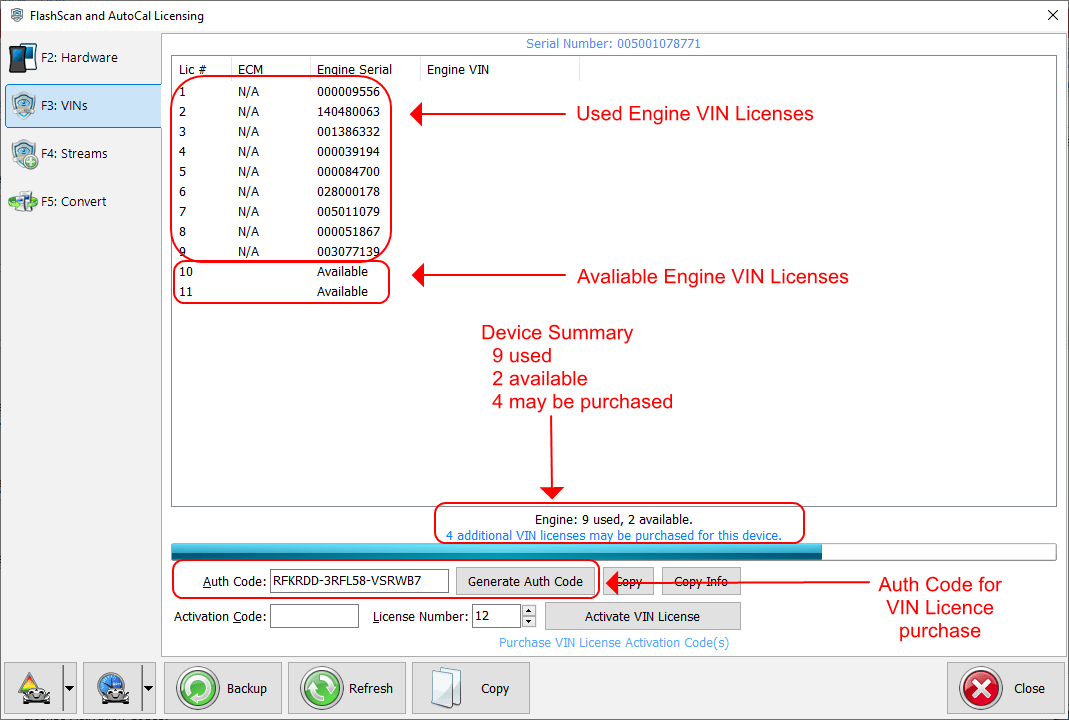
VIN License Purchase Process
Click [Generate Auth Code] to create an authentication code in the Auth Code field.
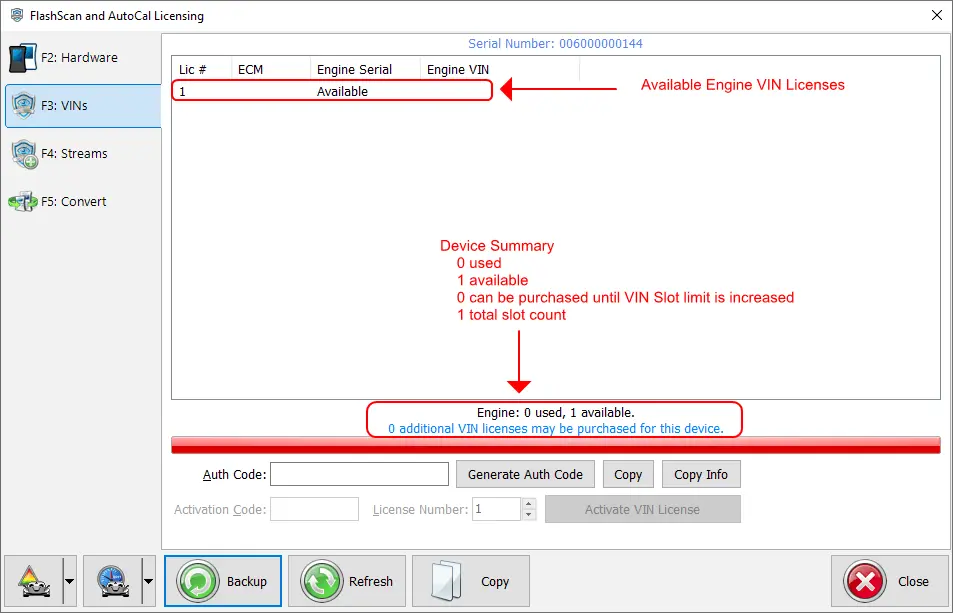
When all VIN license slots are occupied, additional licenses cannot be purchased until your provider increases the allocation.
Troubleshooting License Validation
For validation errors, verify all details match exactly with EFILive display:
- Software version used to generate code
- No leading/trailing spaces in codes
- All hyphens included
- Serial number length: 10 or 12 characters
- Auth code length: exactly 20 characters
- Available license slots remaining